
Fonts
Three fonts for fans of the campaign: MilkLogo, made for this site and sold here for $7; and two free downloads, Phenix American, the typeface of the “got milk?” logo, and Karat Medium, the typeface this site is set in.
MilkLogo — the MILK font
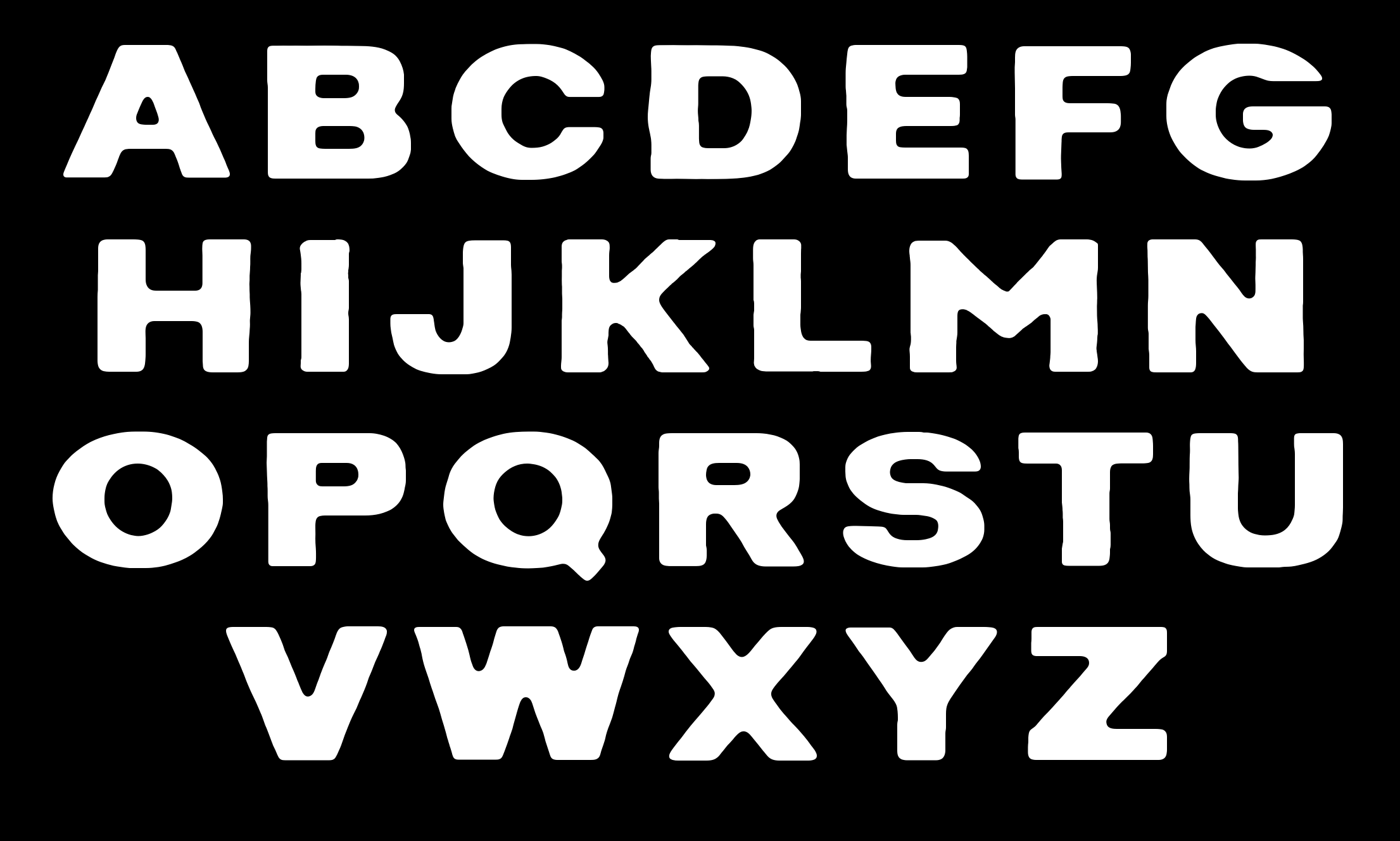
MilkLogo is a font that reproduces the lettering of the word MILK as it appears in the campaign’s sign-offs, “MILK. What a surprise!” and “MILK. Where’s your mustache?”. It was made in October 2026 by Joshua Patrick Dudley, who runs this site. It costs $7, and this is the only place to get it.
The alphabet
A B C D E F G H I J K L M N O P Q R S T U V W X Y Z
The font has the capital letters A to Z. The lowercase keys type the same capitals. It has no numbers or punctuation.
Try it
Type here to see your own words in the font.
What you get
One ZIP file with four font files, a short read-me and the license. MilkLogo.otf and MilkLogo.ttf are for a computer; install either one, not both. MilkLogo.woff and MilkLogo.woff2 are for use on web pages.
How to install
On a Mac, double-click the .otf or .ttf file and choose Install Font. On Windows, right-click the file and choose Install. The font then appears as “MilkLogo” in the font menu of your programs.
MilkLogo is a fan-made reproduction. It is not an official font of the campaign.
Phenix American — the “got milk?” typeface
Phenix American is the typeface the “got milk?” logo is set in.
ABCDEFGHIJKLMNOPQRSTUVWXYZ
abcdefghijklmnopqrstuvwxyz 0123456789
Karat Medium — the typeface of this site
Karat Medium is the typeface this site’s text is set in.
Milk Mustache Database
ABCDEFGHIJKLM nopqrstuvwxyz 0123456789
To install either font: on a Mac, double-click the file and choose Install Font; on Windows, right-click it and choose Install.